Compare
Pick two boards from the directory and see how they differ.
Shaded rows are where they differ.
| Spec | 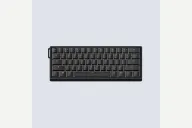 Wooting Wooting 60HE v2 $180–$240 “Wooting's 60% with 8 kHz polling, Tikken switches and an FR4 plate” | 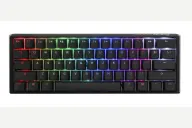 Ducky Ducky One 3 Mini $70–$120 “Ducky's wired hot-swap 60% with PBT keycaps and extra dampening” |
|---|---|---|
| Price , different | $180–$240 | $70–$120 |
| Size | 60% | 60% |
| Type | Pre-built | Pre-built |
| Connectivity | Wired | Wired |
| Released , different | 2025 | 2021 |
| Mounting , different | Friction Fit | Tray Mount |
| Case , different | ABS or aluminum | ABS plastic |
| Colors , different | Black plastic, Black aluminum, Silver aluminum | Classic and other colorways |
| Weight , different | 606g plastic, 945g aluminum | 650 g |
| Dimensions , different | 305 x 115mm | 310 x 110 x 40mm |
| Typing angle , different | Not listed | 3-level feet |
| Front height , different | 28.6mm with keycaps | 40mm |
| Switches , different | Hall Effect | Mechanical |
| Profile | Standard | Standard |
| Keycaps , different | PBT, ABS, or dye-sub | Doubleshot PBT, Cherry profile |
| PCB , different | Hot-swap Lekker | Hot-swap, per-key RGB |
| Plates , different | FR4 | Steel |
| Compatible switches , different | Wooting Lekker Hall effect | MX-style |
| Software , different | Wootility | Onboard macros |
| NKRO | Yes | Yes |
| RGB | Yes | Yes |
| Features , different | Hall effect, 8000Hz, Rapid Trigger, Lekker Tikken, 60%, Split spacebar option | 60%, Hot-swap, Cherry MX, Doubleshot PBT, RGB, QUACK dampening |
| Good for , different | Competitive players who want a compact 60% with true 8 kHz polling Players who also type and want a better-sounding Wooting out of the box Builders who like assembling a board from case, module, switches and keycaps (PC Gamer) | Players who want a compact board that leaves room for mouse swings Buyers who want hot-swap Cherry MX and PBT keycaps without building a kit People happy to configure lighting and macros from the keyboard itself |
| Skip if , different | Anyone who wants a dedicated function row and arrow keys Wireless users People who want to keep using standard MX-style switches | Wireless users Anyone who wants QMK or app-based remapping Spreadsheet and editing work that needs dedicated arrows |
| Pros , different | True 8 kHz polling and scanning with about 0.125 ms input speed in Tachyon mode (Wooting) Rapid Trigger and per-key actuation from 0.1 mm, with four onboard profiles saved in the keyboard (Wooting) PC Gamer found the typing feel excellent, with less switch wobble than the 60HE's L60 switches ABS (606 g) or aluminium (945 g) case, with silicone, EPDM or no bottom dampening on the aluminium version (Wooting, WIRED) Optional split spacebar adds an extra programmable key for the left thumb (PC Gamer, WIRED) Four-year warranty, excluding the LEDs (Wooting) | Hot-swappable PCB with Kailh sockets, so Cherry MX switches can be changed without soldering (Ducky, ProSettings) Double-shot PBT keycaps with a frosted surface; ProSettings found them crisp and durable Lubed stabilizers and foam dampening that ProSettings said work well out of the box Compact 310 x 110 mm footprint at 650 g (Ducky) Detachable braided USB-C cable and extra PBT keycaps in the box (ProSettings) |
| Cons , different | Wired only A 60% layout with no function row or dedicated arrows; arrows via Mod Tap add slight latency (WIRED) PC Gamer noticed a slight ping on some larger keys, mostly the right-side spacebar half The Verge found the Tikken switch's longer spring a little heavier than the Geon Raw switches it normally uses Uses Wooting's own Lekker Hall effect switches rather than standard MX switches | Wired only No companion software for lighting or macros (ProSettings) ProSettings noted a plastic case that flexes slightly when squeezed ProSettings reported key-registration and latency issues on certain firmware versions 60% layout puts arrows and the function row on layers |
| Research take , different | A refined competitive 60% that The Verge, PC Gamer and WIRED all describe as a clear step up from the first 60HE. Choose it for 8 kHz polling and the improved sound; pick a larger or wireless board if you need dedicated arrows or no cable. | A well-regarded compact Ducky for typing feel and sound. ProSettings recommends it for the stabilizers, foam and keycaps; the gaps are software, a plastic case and the reported firmware issues. |