Compare
Pick two boards from the directory and see how they differ.
Shaded rows are where they differ.
| Spec | 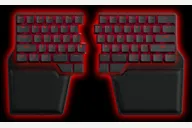 Dygma Dygma Raise 2 $369–$619 “A 60%-style split with thumb keys; wireless, tenting and underglow are paid add-ons” | 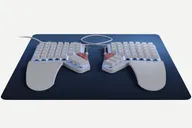 ZSA ZSA Moonlander $365–$380 “ZSA's modular, hot-swap split with a tilting thumb cluster and tenting accessory” |
|---|---|---|
| Price , different | $369–$619 | $365–$380 |
| Size | Split | Split |
| Type | Pre-built | Pre-built |
| Connectivity , different | Wireless + Wired | Wired |
| Released , different | 2024 | 2020 |
| Mounting | Not listed | Not listed |
| Case , different | Brushed anodized aluminum key plate (Dygma) | Not listed |
| Colors , different | Not listed | Black, White |
| Weight , different | About 1 kg | About 675 g without wrist rests (about 800 g with them; the carrying case adds about 140 g) |
| Dimensions , different | 332 x 202 x 36 mm (Dygma spec) | 17 cm wide x 25 cm deep x 3 cm high per half (depth includes the wing; 17 cm without it) |
| Typing angle , different | Optional tenting, 0 to 60 degrees (add-on) | Tilting thumb module; tenting via an optional accessory; angles not listed |
| Front height , different | 36 mm | 3 cm per half (includes keycaps) |
| Switches | Mechanical | Mechanical |
| Profile | Standard | Standard |
| Keycaps , different | PBT double-shot (English US and UK); laser-etched OEM profile for Dash and non-English | Doubleshot PBT, printed or blank |
| PCB , different | Hot-swap (64 MX sockets on ANSI plus 4 Kailh Choc sockets) | Hot-swap |
| Plates , different | Brushed anodized aluminum key plate | Not listed |
| Battery , different | Wireless version: 2370 mAh per half (4740 mAh total) | — |
| Compatible switches , different | MX-style (main keys) and Kailh Choc (4 thumb keys) | MX-style |
| Software , different | Not listed | QMK, Oryx, Keymapp |
| NKRO , different | Yes | No |
| RGB | Yes | Yes |
| Features , different | 60% layout, Hot-swap, Wired base, Optional wireless, Optional tenting, Per-key RGB, Aluminum key plate | Hot-swap, Wired, QMK, Per-key RGB, Tilting thumb cluster, Wrist rests |
| Good for , different | People who want a split on a 60% layout Buyers who want hot-swap and optional wireless Users who want to add tenting later | People who want a heavily customizable, hot-swap split Heavy typists who want tenting and a thumb cluster Users who like a training app for a new layout |
| Skip if , different | Buyers on a budget Anyone who wants wireless and tenting without extra cost People who want a function row on dedicated keys | Buyers who want wireless People who need a short learning curve Anyone on a tight budget |
| Pros , different | Offers a lot of hardware and features (AppleInsider) Hot-swap for both MX and Choc switches (Dygma) Wired base with optional wireless and tenting (Dygma) Very well packaged (AppleInsider) Two-year warranty (Dygma) | Highly customizable with a training app (Tom's Guide) Hot-swappable switches that feel good to type on (Tom's Guide) Tilting thumb cluster with a wrist support that follows it (ZSA) Carrying case and two-year warranty (ZSA) Wide choice of MX-style switches (ZSA) |
| Cons , different | Price of admittance too high for most users (AppleInsider) Wireless, tenting and underglow are paid extras (Dygma) Learning curve for a split layout with layers Palm pad replacements cost extra, USD 39 (AppleInsider) | Steep learning curve (Tom's Guide, The Verge) Halves can feel light and shift on the desk (Tom's Guide) No wireless option (PC Gamer) Very expensive (PC Gamer, The Verge) Blank keycaps are confusing at first (PC Gamer) |
| Research take , different | A feature-rich split on a 60% layout. AppleInsider praised the hardware and packaging and faulted the price once add-ons are included. | A well-regarded, modular wired split. Reviewers like the customization and typing feel, and mainly fault the adjustment period, the price and the lack of wireless. |