Compare
Pick two boards from the directory and see how they differ.
Shaded rows are where they differ.
| Spec | 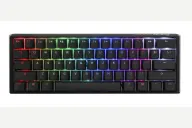 Ducky Ducky One 3 Mini $70–$120 “Ducky's wired hot-swap 60% with PBT keycaps and extra dampening” | 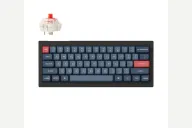 Keychron Keychron V4 Max $105 “A mechanical 60% that is not a Topre” |
|---|---|---|
| Price , different | $70–$120 | $105 |
| Size | 60% | 60% |
| Type | Pre-built | Pre-built |
| Connectivity , different | Wired | Wireless + Wired |
| Released , different | 2021 | 2024 |
| Mounting , different | Tray Mount | Gasket |
| Case | ABS plastic | ABS plastic |
| Colors , different | Classic and other colorways | Black |
| Weight , different | 650 g | 645 ± 10 g (fully assembled) |
| Dimensions , different | 310 x 110 x 40mm | 305 x 123.1mm |
| Typing angle , different | 3-level feet | 3.5° / 8° / 11° |
| Front height , different | 40mm | 28mm without keycaps |
| Switches | Mechanical | Mechanical |
| Profile | Standard | Standard |
| Keycaps , different | Doubleshot PBT, Cherry profile | Double-shot PBT, OSA |
| PCB , different | Hot-swap, per-key RGB | Hot-swap, south-facing RGB |
| Plates , different | Steel | PC |
| Battery , different | — | 4000 mAh, up to 190 hours |
| Compatible switches , different | MX-style | MX-style 3-pin and 5-pin |
| Software , different | Onboard macros | QMK, VIA, Keychron Launcher |
| NKRO | Yes | Yes |
| RGB | Yes | Yes |
| Features , different | 60%, Hot-swap, Cherry MX, Doubleshot PBT, RGB, QUACK dampening | QMK/VIA, 60% with knob, Hot-swap, Gasket mount, 2.4GHz + Bluetooth 5.1, 4000mAh, 1000Hz polling |
| Good for , different | Players who want a compact board that leaves room for mouse swings Buyers who want hot-swap Cherry MX and PBT keycaps without building a kit People happy to configure lighting and macros from the keyboard itself | A light wireless 60% for carrying between desks People who want gasket-mount softness in a small plastic board QMK users comfortable with layers |
| Skip if , different | Wireless users Anyone who wants QMK or app-based remapping Spreadsheet and editing work that needs dedicated arrows | Anyone who needs arrow keys on the base layer Buyers who want published typing and sound measurements People who want to avoid any Max-series reliability risk |
| Pros , different | Hot-swappable PCB with Kailh sockets, so Cherry MX switches can be changed without soldering (Ducky, ProSettings) Double-shot PBT keycaps with a frosted surface; ProSettings found them crisp and durable Lubed stabilizers and foam dampening that ProSettings said work well out of the box Compact 310 x 110 mm footprint at 650 g (Ducky) Detachable braided USB-C cable and extra PBT keycaps in the box (ProSettings) | Gasket mount with a PC plate on a 60% layout 2.4GHz at 1000Hz, Bluetooth 5.1 and wired USB-C (Keychron's spec page) 645 g (Keychron's figure) and 305 mm wide, light enough to carry Keychron rates the 4000 mAh battery at up to 190 hours with the backlight off QMK with the Launcher web app, hot-swap sockets and screw-in stabilizers An owner reported a pleasant, not-loud typing sound with silent switches fitted (kyu08) |
| Cons , different | Wired only No companion software for lighting or macros (ProSettings) ProSettings noted a plastic case that flexes slightly when squeezed ProSettings reported key-registration and latency issues on certain firmware versions 60% layout puts arrows and the function row on layers | Evidence is thin: no full independent review was found 60% layout with no dedicated arrows or function row ABS plastic case and non-shine-through keycaps Max-series double-press and chatter reports led to a Keychron statement in July 2025 (TechPowerUp) Bluetooth polling is 90Hz, per Keychron's spec table |
| Research take , different | A well-regarded compact Ducky for typing feel and sound. ProSettings recommends it for the stabilizers, foam and keycaps; the gaps are software, a plastic case and the reported firmware issues. | A logical wireless 60% on Keychron's V Max platform. Independent coverage is thin, so lean on the V1 Max and V3 Max reviews as a guide, and buy from a recent batch with a good return window. |