Compare
Pick two boards from the directory and see how they differ.
Shaded rows are where they differ.
| Spec | 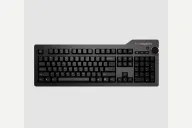 Das Keyboard Das Keyboard 4 Professional $179 “Das Keyboard's full-size with an aluminum top, volume knob and USB hub” | 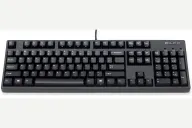 Filco Filco Majestouch 3 $129–$160 “Filco's plain Cherry MX full-size with PBT keycaps and NKRO over USB” |
|---|---|---|
| Price , different | $179 | $129–$160 |
| Size | Full | Full |
| Type | Pre-built | Pre-built |
| Connectivity | Wired | Wired |
| Released , different | 2014 | 2022 |
| Mounting , different | Integrated Plate | Tray Mount |
| Case , different | Aluminum top, plastic bottom | ABS plastic |
| Colors , different | Black | Matte black |
| Weight , different | 1.3kg | 1.2kg |
| Dimensions , different | 457 x 173 x 20mm | 440 x 138 x 38.5mm |
| Typing angle , different | Removable footbar | Feet raise it to 49.5mm |
| Front height , different | 20mm | 38.5mm |
| Switches | Mechanical | Mechanical |
| Profile | Standard | Standard |
| Keycaps , different | Laser-etched | Doubleshot PBT |
| PCB | Soldered Cherry MX | Soldered Cherry MX |
| Plates , different | Aluminum top | Steel |
| Compatible switches , different | Fixed Cherry MX Blue or Brown | Fixed Cherry MX, chosen at purchase |
| Software , different | Das Keyboard software | None |
| NKRO | Yes | Yes |
| RGB | No | No |
| Features , different | Full size, Cherry MX Blue or Brown, Aluminum top, Volume knob, USB 3.0 hub, NKRO | Full size, Cherry MX, Doubleshot PBT, NKRO over USB, Media keys on the F-row |
| Good for , different | Typists who want a solid aluminum-topped full-size Desks that benefit from a volume knob and a USB hub Cherry MX Brown or Blue fans who want no software | Typists who want a plain, durable full-size with PBT keycaps Office desks that want no lighting or software Buyers who already know which Cherry MX switch they want |
| Skip if , different | Gamers who want macros or lighting Hot-swap hobbyists Buyers who want PBT keycaps out of the box | Hot-swap or RGB fans Wireless users Buyers who want the most features for the money (Eurogamer) |
| Pros , different | Aluminum top panel with no creak or flex (GoMK) Volume knob with media controls, praised by both GoMK and PC Gamer Two-port USB 3.0 hub built in (Das Keyboard) Cherry MX Brown or Blue; PC Gamer called the typing experience fantastic Standard Cherry MX-stem keycaps fit, so replacement sets work (Das Keyboard) NKRO over USB and a 6.5 ft cable (Das Keyboard) | Double-shot PBT keycaps with legends that will not wear off (Diatec, Eurogamer) Cherry MX Brown, Blue, Red or Silent Red at purchase (Diatec) Full N-key rollover over USB, an upgrade over the Majestouch 2 (Eurogamer) Media controls on the function row (Eurogamer) Factory-lubed Costar stabilizers that work well (Eurogamer) Heavy, rigid build at 1.2 kg (Diatec); Eurogamer weighed 1.4 kg |
| Cons , different | GoMK found the stabilizers unlubed and rattly Laser-etched ABS keycaps: GoMK called the printing below average, and PC Gamer said such legends stain with use No macros; PC Gamer said most users can do without a backlight but macros may matter (PC Gamer) No hot-swap; switches are fixed at purchase Wired only, with a fixed 6.5 ft cable | No hot-swap, so switches are fixed at purchase (Eurogamer) No RGB, software, macros or wireless (Eurogamer) Eurogamer heard some ping on the space bar if pressed harder Eurogamer thought it expensive for the modest upgrades over the Majestouch 2 Cherry MX Brown switches can feel slightly scratchy before they break in (Eurogamer) |
| Research take , different | A sturdy office full-size whose build, knob and hub earn GoMK and PC Gamer's praise. Expect to lube the stabilizers and consider replacement keycaps; skip it for wireless, macros or hot-swap. | A dependable typist's full-size that Eurogamer liked to use but found hard to justify on value. Pick it for the build and PBT keycaps; look elsewhere for hot-swap, wireless or lighting. |