Compare
Pick two boards from the directory and see how they differ.
Shaded rows are where they differ.
| Spec | 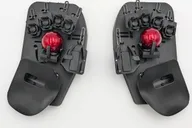 Svalboard Svalboard Lightly $800–$1050 “A Datahand-style split with 20 gf magneto-optical keys and optional integrated pointing” | 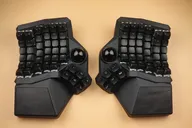 Cyboard Cyboard Imprint Standard $499–$699 “An off-the-shelf curved-keywell split with dual 34 mm trackballs and hot-swap MX switches” |
|---|---|---|
| Price , different | $800–$1050 | $499–$699 |
| Size | Split | Split |
| Type | Pre-built | Pre-built |
| Connectivity , different | Wired | Wireless + Wired |
| Released , different | 2024 | 2026 |
| Mounting | Not listed | Not listed |
| Case , different | ABS plastic (black default) | Standard: black PLA. Premium: nylon upper shell with anodized aluminum bottom plate |
| Colors , different | Black ABS (default); color add-ons available | Black PLA with silver glitter (Standard), Black nylon shell (Premium) |
| Weight | Not listed | Not listed |
| Dimensions | Not listed | Not listed |
| Typing angle , different | 5-axis cluster position adjustment per finger and thumb | Continuous tenting up to about 45 degrees; 15 degrees default without legs |
| Front height | Not listed | Not listed |
| Switches , different | Optical | Mechanical |
| Profile , different | Not listed | Standard |
| Keycaps , different | Integrated key mechanisms (no standard keycaps) | Shine-through XDA |
| PCB , different | Not listed | Hot-swap |
| Plates , different | Not listed | Anodized aluminum bottom plate (Premium trim) |
| Compatible switches , different | Not listed | 3- and 5-pin MX-style (Gateron G Pro 3.0 Brown fitted) |
| Software , different | Vial, QMK | Vial (wired), Cyboard Studio (wireless) |
| NKRO | No | No |
| RGB | No | No |
| Features , different | 50 keys, Magneto-optical keys, Integrated pointing, Wired, Vial-QMK, Made in USA | 82 keys, Hot-swap MX, Dual trackballs, Continuous tenting, Wireless or wired, Curved keywell |
| Good for , different | People with strain injuries looking for an extreme ergonomic option Users who want integrated pointing Tinkerers who want Vial and QMK | People who want a curved keywell with hot-swap Users who want integrated trackballs Buyers who want an in-stock board instead of made-to-order |
| Skip if , different | Buyers who want a conventional layout Anyone on a budget People who need a quick delivery | Buyers on a budget People who need a custom fit for their hands Anyone who wants a conventional layout |
| Pros , different | 20 gf magneto-optical keys that reduce effort (Svalboard) Adjustable fitment for every finger and thumb (Svalboard) Integrated pointing options (Svalboard) Live keymap editing with Vial (Svalboard) Repairable with replacement parts (Svalboard) | Curved keywell with hot-swap MX switches (Cyboard) Dual 34 mm trackballs built in (Cyboard) Continuous tenting up to about 45 degrees (Cyboard) Ships built and tested, with standard returns (Cyboard) Wired QMK-Vial or wireless ZMK options (Cyboard) |
| Cons , different | Price is easily twice a premium mechanical keyboard (Twey) Very light keys can cause typos until you adapt (Twey) Long build time, about 5 to 6 weeks (Svalboard) Not a conventional layout; steep learning curve | Expensive, up to USD 699 (Cyboard) Fixed sizing may not suit unusual hand shapes; the made-to-measure Imprint exists for that (Cyboard) Aggressive layout and thumb cluster need an adjustment period Standard trim is visibly 3D-printed (Cyboard) |
| Research take , different | A niche, high-priced ergonomic split. The reviewer we cite found it worth the investment for his use but flagged the price, early typos and the adjustment it demands. | A pricey, well-equipped curved-keywell split with built-in trackballs. It trades a custom fit for fast availability. |