Compare
Pick two boards from the directory and see how they differ.
Shaded rows are where they differ.
| Spec | 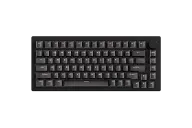 MonsGeek MonsGeek M1 V5 HE $95–$100 “The magnetic M1 V5” | 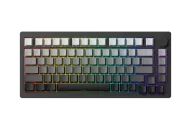 MonsGeek MonsGeek M1 V5 TMR $150 “The TMR M1” |
|---|---|---|
| Price , different | $95–$100 | $150 |
| Size | 75% | 75% |
| Type | Pre-built | Pre-built |
| Connectivity | Wireless + Wired | Wireless + Wired |
| Released , different | 2025 | 2026 |
| Mounting | Gasket | Gasket |
| Case | Aluminum | Aluminum |
| Colors | Black | Black |
| Weight | Not listed | Not listed |
| Dimensions | Not listed | Not listed |
| Typing angle | Not listed | Not listed |
| Front height | Not listed | Not listed |
| Switches , different | Hall Effect | TMR magnetic (also accepts mechanical switches) |
| Profile | Standard | Standard |
| Keycaps | Not listed | Not listed |
| PCB , different | Hot-swap magnetic | Hot-swap TMR magnetic |
| Plates | Not listed | Not listed |
| Software | MonsGeek | MonsGeek |
| NKRO | Yes | Yes |
| RGB | Yes | Yes |
| Features , different | Hall effect, 75%, Tri-mode, Gasket, Rapid trigger | TMR magnetic, 75%, Rapid trigger, Gasket |
| Good for , different | Gamers who want Rapid Trigger in a metal 75% Players who want 8K polling with a wireless option Buyers who value a tool-free case for modding | Gamers who want elite response and the freedom to use mechanical switches Builders who like a tool-free metal case People who want a heavy, premium-feeling wireless board |
| Skip if , different | Anyone who wants VIA or to mix mechanical switches Typists who want a muted, deep sound without trying the stock switches first Light-pack travelers | Buyers who want the lowest price (the HE is cheaper) Anyone who dislikes tuning software People who want open VIA remapping |
| Pros , different | Aluminum quick-release 75% with a programmable knob 8,000 Hz polling over USB and 2.4GHz and 32K scanning (maker) Rapid Trigger precision to 0.005 mm with an RT Stabilizer filter Tri-mode with Akko AstroLink or AstroAim switch options Cross-compatible with several third-party magnetic switches | Mixes magnetic and mechanical switches on one board (MonsGeek) Aluminum quick-release case; HLPlanet measured 1.8 kg 8,000 Hz polling over USB and 2.4GHz and an 8,000 mAh battery Gasket feel with lubed stabilizers (HLPlanet) Gamepad Squire rated it 8.5/10 |
| Cons , different | Magnetic switches only; the TMR version is the one that accepts mechanical switches Web software is described as functional but rough on the TMR sibling (HLPlanet) Up to 1.83 kg, so not a portable board No VIA; configuration is through MonsGeek's own driver Little independent coverage, so long-term reliability is unknown | Software described as functional but rough (HLPlanet, Gamepad Squire) Mode switch hidden under the caps key (GamingTrend, Gamepad Squire) A minority of reports of wireless dropouts (Gamepad Squire) HLPlanet found little practical gain from TMR over Hall effect Top and bottom of the case can feel slightly loose when lifted (HLPlanet) |
| Research take , different | A strong spec sheet for the money in a heavy metal 75%, backed by the maker and a review of the TMR sibling. Pick the TMR if you want to use mechanical switches on some keys. | An excellent value for a premium-feeling magnetic 75% if you accept rough software. The mixed-switch support is the reason to choose it over the HE. |