Compare
Pick two boards from the directory and see how they differ.
Shaded rows are where they differ.
| Spec | 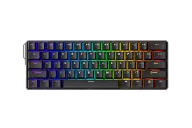 MonsGeek MonsGeek FUN60 Ultra $60–$80 “The TMR 60%” | 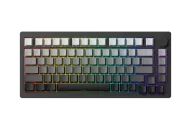 MonsGeek MonsGeek M1 V5 TMR $150 “The TMR M1” |
|---|---|---|
| Price , different | $60–$80 | $150 |
| Size , different | 60% | 75% |
| Type | Pre-built | Pre-built |
| Connectivity | Wireless + Wired | Wireless + Wired |
| Released , different | 2025 | 2026 |
| Mounting , different | Tray Mount | Gasket |
| Case , different | CNC aluminum | Aluminum |
| Colors | Black | Black |
| Weight | Not listed | Not listed |
| Dimensions | Not listed | Not listed |
| Typing angle | Not listed | Not listed |
| Front height | Not listed | Not listed |
| Switches , different | Hall Effect or TMR, depending on version | TMR magnetic (also accepts mechanical switches) |
| Profile | Standard | Standard |
| Keycaps | Not listed | Not listed |
| PCB | Hot-swap TMR magnetic | Hot-swap TMR magnetic |
| Plates , different | Aluminum | Not listed |
| Software | MonsGeek | MonsGeek |
| NKRO | Yes | Yes |
| RGB | Yes | Yes |
| Features , different | TMR magnetic, 60%, Rapid trigger | TMR magnetic, 75%, Rapid trigger, Gasket |
| Good for , different | Gamers who want a metal 60% with wireless and Rapid Trigger Tinkerers who want magnetic and mechanical switches on the same board (TMR version) Players moving up from the FUN60 Pro who want a heavier, better-feeling case | Gamers who want elite response and the freedom to use mechanical switches Builders who like a tool-free metal case People who want a heavy, premium-feeling wireless board |
| Skip if , different | Buyers who want the lowest price (the FUN60 Pro is cheaper) Anyone who needs arrow keys People who want a gasket-mounted feel; this is a tray mount | Buyers who want the lowest price (the HE is cheaper) Anyone who dislikes tuning software People who want open VIA remapping |
| Pros , different | CNC aluminum case in a 60% with an aluminum plate (MonsGeek) 8,000 Hz polling wired and over 2.4GHz, Rapid Trigger to 0.01 mm TMR version can mix magnetic and 5-pin mechanical switches (MagMech) 4,000 mAh battery on the tri-mode build, with Bluetooth 5.0 and 2.4GHz TechteamGB found it felt nicer than the Pro and called both boards pretty good | Mixes magnetic and mechanical switches on one board (MonsGeek) Aluminum quick-release case; HLPlanet measured 1.8 kg 8,000 Hz polling over USB and 2.4GHz and an 8,000 mAh battery Gasket feel with lubed stabilizers (HLPlanet) Gamepad Squire rated it 8.5/10 |
| Cons , different | Still a 60%: no arrow keys or function row TechteamGB found little latency difference between HE and TMR versions, so TMR alone may not justify the premium Hall-effect and TMR versions carry different prices; check which one you are ordering Same browser-based driver as the Pro, which reviewers describe as functional rather than polished Not compatible with Akko's S-pole Creamy Yellow switches (MonsGeek) | Software described as functional but rough (HLPlanet, Gamepad Squire) Mode switch hidden under the caps key (GamingTrend, Gamepad Squire) A minority of reports of wireless dropouts (Gamepad Squire) HLPlanet found little practical gain from TMR over Hall effect Top and bottom of the case can feel slightly loose when lifted (HLPlanet) |
| Research take , different | The FUN60 Pro's upgrade path: metal case, bigger battery and optional TMR. Worth it if the build matters to you; if not, TechteamGB's own results suggest the cheaper Pro plays about the same. | An excellent value for a premium-feeling magnetic 75% if you accept rough software. The mixed-switch support is the reason to choose it over the HE. |