Compare
Pick two boards from the directory and see how they differ.
Shaded rows are where they differ.
| Spec | 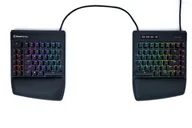 Kinesis Kinesis Freestyle Edge RGB+ $219 “A wired, hot-swap split with per-key RGB, palm supports and the Lift Kit included” | 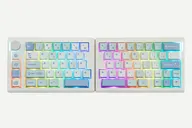 EPOMAKER EPOMAKER Split70 $99–$116 “An affordable 70% split with tri-mode wireless, gasket mount and a knob” |
|---|---|---|
| Price , different | $219 | $99–$116 |
| Size | Split | Split |
| Type | Pre-built | Pre-built |
| Connectivity , different | Wired | Wireless + Wired |
| Released | 2025 | 2025 |
| Mounting , different | Not listed | Gasket |
| Case , different | Not listed | ABS plastic |
| Colors , different | Not listed | Black Grey, White Blue |
| Weight , different | 3.6 lbs (4 lbs shipping) | Not listed |
| Dimensions , different | 15.5 in wide x 7.25 in deep x 1.25 in high (linking cable 12 to 21.5 in) | 18.4 cm + 18.8 cm long (left + right), 11.8 cm wide, 4 cm high |
| Typing angle , different | Zero degree slope; Lift Kit gives Low, Medium and High tenting | No adjustable feet (IBTimes UK) |
| Front height , different | 1.25 in | 4 cm |
| Switches | Mechanical | Mechanical |
| Profile | Standard | Standard |
| Keycaps , different | Not listed (4 Mac modifier keycaps included) | PBT dye-sublimated, Cherry profile |
| PCB | Hot-swap | Hot-swap |
| Plates , different | Not listed | PC plate |
| Battery , different | — | 3000 mAh; up to 11 hours with backlight on, 260 hours off (Epomaker) |
| Compatible switches , different | 3- and 5-pin MX-style (Gateron v1 Brown or Red fitted) | 3- and 5-pin MX-style |
| Software , different | SmartSet (onboard), SmartSet app | VIA |
| NKRO , different | No | Yes |
| RGB | Yes | Yes |
| Features , different | Hot-swap, Wired, Per-key RGB, Lift Kit tenting, Palm supports, SmartSet | 71 keys + knob, Tri-mode, Gasket mount, Hot-swap, VIA, RGB, Macro keys |
| Good for , different | People who want a split with a familiar layout Gamers and typists on a mid-range budget Anyone who wants hot-swap and RGB | Buyers who want to try a split on a budget People who want a mostly standard staggered layout Wireless desk setups |
| Skip if , different | Buyers who want wireless Gamers who want rapid trigger or snap tap People who want a columnar or key-well layout | People who need tenting or adjustable angles Shortcut-heavy users who rely on a right Ctrl Buyers who want a premium metal build |
| Pros , different | Lift Kit tenting and palm supports included (Kinesis, PC Gamer) Hot-swap switches (Kinesis, PC Gamer) Per-key RGB and onboard SmartSet programming (Kinesis) Familiar key layout with a short adaptation time (Kinesis) Priced well below most split boards (PC Gamer) | Low price for a wireless split (Epomaker, IBTimes UK) Bluetooth, 2.4 GHz and wired modes (Epomaker) Hot-swap with factory-lubed linear switches (Epomaker) Knob and four macro keys (IBTimes UK) VIA support (Epomaker) |
| Cons , different | No wireless connectivity (PC Gamer) No dedicated media wheel (PC Gamer) No snap tap or rapid trigger (PC Gamer) Fixed-length linking cable limits separation without pulling out extra cable (Kinesis) | No adjustable feet or tenting (IBTimes UK) Tiny right Shift and shifted right number row (HL Planet) No right Ctrl key (IBTimes UK) Battery life drops sharply with RGB on (IBTimes UK) Mostly plastic construction (IBTimes UK) |
| Research take , different | An affordable, familiar-layout split that includes tenting and palm supports. PC Gamer liked its comfort and price and mainly noted the lack of wireless and of newer gaming-switch features. | A cheap, wireless entry to split typing. Reviewers like the price and features and mainly fault the layout compromises, the lack of feet and the RGB battery life. |