Compare
Pick two boards from the directory and see how they differ.
Shaded rows are where they differ.
| Spec | 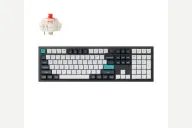 Keychron Keychron Q6 Max $200–$240 “Tri-mode full-size Q that reviewers rate highly” | 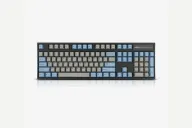 Leopold Leopold FC900R PD $124–$199 “Leopold's full-size Cherry MX board with a sound-absorbing pad” |
|---|---|---|
| Price , different | $200–$240 | $124–$199 |
| Size | Full | Full |
| Type | Pre-built | Pre-built |
| Connectivity , different | Wireless + Wired | Wired |
| Released , different | 2024 | 2016 |
| Mounting , different | Gasket | Tray Mount |
| Case , different | Aluminum | ABS plastic |
| Colors , different | Carbon Black, Shell White | Grey/Blue, Black, White |
| Weight , different | 2184g assembled | 1.2kg |
| Dimensions , different | 446 x 137mm | 440 x 140 x 33mm |
| Typing angle , different | 5.2° | Adjustable feet |
| Front height , different | 20.1mm without keycaps | 33mm |
| Switches | Mechanical | Mechanical |
| Profile | Standard | Standard |
| Keycaps , different | Double-shot PBT, KSA or OSA | 1.5mm doubleshot PBT |
| PCB , different | Hot-swap, south-facing RGB | Soldered Cherry MX |
| Plates , different | PC | Steel |
| Battery , different | 4000mAh | — |
| Compatible switches , different | MX-style 3-pin and 5-pin | Fixed Cherry MX, chosen at purchase |
| Software , different | QMK, VIA, Keychron Launcher | Dip switches |
| NKRO | Yes | Yes |
| RGB , different | Yes | No |
| Features , different | QMK/VIA, Full size with knob, Hot-swap, Double gasket, Aluminum case, 2.4GHz + Bluetooth 5.1, 4000mAh, 1000Hz polling | Full size, Cherry MX, Doubleshot PBT, Sound pad, Plate mount |
| Good for , different | Full-size typists and gamers who want one wireless board (the 2.4 GHz dongle is the low-latency route) Mac and Windows users who want a quick OS switch People who like a quiet, planted metal board | Office typists who want a quiet, solid full-size keyboard Buyers who want PBT keycaps and Cherry MX without any tinkering People who want a no-software, no-RGB board with a number pad |
| Skip if , different | Travelers Anyone who needs an adjustable angle Buyers who want a lighter keyboard | Gamers who want RGB or software Hot-swap hobbyists Wireless users or anyone who needs USB-C |
| Pros , different | 2.4 GHz, Bluetooth and wired modes with a number pad WePC found the double-gasket design very effective at muffling noise Top-notch build quality and QMK/VIA compatibility (TechRadar) Switches layouts between Windows and macOS (TechRadar), with extra keycaps for both Great battery life, Keychron rates up to 180 hours (WePC) Side-printed keycap option available (WePC) | Tech Critter found the Silent Red build very quiet, with no high-pitched ping Sound-absorbing pad and spacebar padding (Tech Critter) Thick, opaque double-shot PBT keycaps (Tech Critter) Heavy metal plate in a thick plastic case (Tech Critter) DIP switches to swap Left Ctrl and Caps Lock; PS/2 converter in the box (Tech Critter) Full-size layout with a number pad |
| Cons , different | Extreme weight makes it hard to carry (TechRadar, GameRevolution) No typing angle or height adjustment (TechRadar, WePC) No wrist rest included (TechRadar) Stiff connectivity switch (TechRadar) Tom's Guide's spec table lists 90 Hz over wireless for the Max, so use the cable for the 1000 Hz rate | Mini-USB port, which Tech Critter would replace with USB-C Single kickstand angle (Tech Critter) No backlight, so the opaque keycaps cannot be lit (Tech Critter) No hot-swap or software; switches are fixed at purchase Wired only |
| Research take , different | A top-rated full-size mechanical board. Everyone who reviewed it agreed on strong build and sound, and flagged weight and fixed height. | A quiet-leaning, no-frills full-size that Tech Critter, the one review of this exact model found, praised for its silence and build. Choose it for a plain finished board; skip it if you want hot-swap, wireless or USB-C. |