Compare
Pick two boards from the directory and see how they differ.
Shaded rows are where they differ.
| Spec | 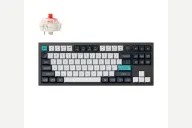 Keychron Keychron Q3 Max $230 “Tri-mode 80% TKL Q praised for sound and build” | 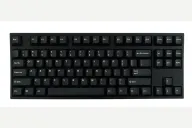 Leopold Leopold FC750R PD $119–$199 “Leopold's 87-key Cherry MX TKL with a sound-absorbing pad” |
|---|---|---|
| Price , different | $230 | $119–$199 |
| Size | TKL | TKL |
| Type | Pre-built | Pre-built |
| Connectivity , different | Wireless + Wired | Wired |
| Released , different | 2024 | 2018 |
| Mounting , different | Gasket | Tray Mount |
| Case , different | Aluminum | ABS plastic |
| Colors , different | Carbon Black, Shell White | Black, Grey/Blue, White, Navy |
| Weight , different | 1770g assembled | 1kg |
| Dimensions , different | 365 x 137mm | 362 x 140 x 33mm |
| Typing angle , different | 5.2° | Adjustable feet |
| Front height , different | 19.7mm without keycaps | 33mm case height |
| Switches | Mechanical | Mechanical |
| Profile | Standard | Standard |
| Keycaps , different | Double-shot PBT, KSA | 1.5mm doubleshot PBT |
| PCB , different | Hot-swap, south-facing RGB | Soldered Cherry MX, plate mount |
| Plates , different | PC | Steel |
| Battery , different | 4000mAh | — |
| Compatible switches , different | MX-style 3-pin and 5-pin | Fixed Cherry MX, chosen at purchase |
| Software , different | QMK, VIA, Keychron Launcher | Dip switches |
| NKRO | Yes | Yes |
| RGB , different | Yes | No |
| Features , different | TKL with knob, Aluminum, Double gasket, QMK/VIA, 2.4GHz + Bluetooth, 4000mAh, Hot-swap | TKL, Cherry MX, Doubleshot PBT, Sound-absorbing pad, Plate mount, Dip switches |
| Good for , different | Buyers who want a tenkeyless metal board with a deep, muted sound Users who split time between typing and casual gaming Anyone who wants three connection modes in a TKL | Typists who want a TKL without extras Office users who value a quiet-ish, solid Cherry MX board People moving up from a standard office keyboard |
| Skip if , different | People who dislike a fixed typing angle Travelers Buyers watching price closely | Gamers who want RGB or software Hot-swap hobbyists Anyone who needs a number pad or USB-C |
| Pros , different | 2.4 GHz, Bluetooth and wired modes; 1000 Hz on 2.4 GHz and wired (Tom's Guide) Tom's Guide called it acoustically damped to the extreme and well built PC Gamer scored it 92 and praised smooth, lubed switches and sturdy build Around three weeks per charge in Tom's Guide's use Screw-in metal stabilizers and double-gasket mount (Tom's Guide spec table) Programmable knob, QMK and Keychron Launcher | Tom's Guide found the build quality excellent and the typing experience fantastic Thick double-shot PBT keycaps (Tom's Guide) Steel-mounted plate with padding that dampens the spacebar (Tom's Guide) DIP switches for swapping keys such as Left Ctrl and Caps Lock, and a useful menu key (Tom's Guide) Seven Cherry MX switch choices at purchase (Tom's Guide) Plug and play with no software to install |
| Cons , different | Expensive for a TKL (Tom's Guide, PC Gamer) Heavy: Keychron lists 1,770 g and PC Gamer measured about 2 kg No height adjustment (Tom's Guide) Bluetooth runs at 90 Hz, so use 2.4 GHz or the cable for games Side-printed legends may not appeal to everyone (PC Gamer) | Only one height setting; Tom's Guide wanted two Cheap plastic keycap puller that Tom's Guide said could scratch the keycaps Mini-USB cable rather than USB-C (Tom's Guide) No hot-swap, RGB or wireless, and no number pad Switch choice is fixed at purchase |
| Research take , different | One of the best-reviewed boards in the Q line: strong build, sound and connectivity. The weight, price and fixed height are the trade-offs reviewers keep mentioning. | A plain, well-built TKL that Tom's Guide rates for its typing experience. Pick it for build and keycaps; look elsewhere for hot-swap, wireless, RGB or app support. |