Compare
Pick two boards from the directory and see how they differ.
Shaded rows are where they differ.
| Spec | 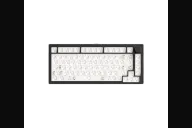 MonsGeek MonsGeek M1 V5 $90–$130 “The M3's 75% sibling” | 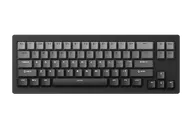 MonsGeek MonsGeek M7W $100–$110 “The wireless 65%” |
|---|---|---|
| Price , different | $90–$130 | $100–$110 |
| Size , different | 75% | 65% |
| Type , different | Barebones | Pre-built |
| Connectivity | Wireless + Wired | Wireless + Wired |
| Released , different | 2025 | 2023 |
| Mounting | Gasket | Gasket |
| Case | Aluminum | Aluminum |
| Colors , different | Black, and special editions | Black |
| Weight , different | About 1650g barebone | Not listed |
| Dimensions , different | 333 x 146 x 32.6mm | Not listed |
| Typing angle | Not listed | Not listed |
| Front height , different | 32.6mm case height | Not listed |
| Switches | Mechanical | Mechanical |
| Profile | Standard | Standard |
| Keycaps , different | Not included on the barebone | Not listed |
| PCB , different | Hot-swap, south-facing RGB | Hot-swap MX |
| Plates , different | PC | Polycarbonate |
| Battery , different | 8000mAh | 5000mAh |
| Compatible switches , different | MX-style 3-pin and 5-pin | — |
| Software , different | VIA | MonsGeek |
| NKRO | Yes | Yes |
| RGB | Yes | Yes |
| Features , different | 75% aluminum, Gasket, Tri-mode, Hot-swap, 8000mAh, Quick release, VIA on the VIA kit | 65%, Tri-mode, Aluminum, Gasket |
| Good for , different | Buyers who want a metal, tweakable 75% at a modest price Beginners who will open the case more than once People who want wireless and VIA together | Buyers who want a small wireless aluminum kit to build People who connect to several devices Desk users who want a heavy, quiet-feeling case |
| Skip if , different | Anyone who prioritizes stock switch feel Buyers who want magnetic switches (see the M1 V5 HE or TMR) Travelers who need a light board | VIA users who want open remapping Anyone who wants a finished keyboard Buyers who want a low-profile or travel keyboard |
| Pros , different | CNC aluminum case that opens without screws, so foam and plate changes are quick 8,000 mAh battery; all three reviewers rated battery life highly Tri-mode connectivity with VIA remapping and QMK source available Gasket mount, Poron and IXPE foams and pre-lubed stabilizers in the box South-facing hot-swap PCB that accepts 3-pin and 5-pin switches Basic Tutorials and ComputerBase both single out material quality and build | Three connection modes: USB-C, 2.4GHz and Bluetooth for up to three devices 5,000 mAh built-in battery Aluminum gasket case with polycarbonate plate and Poron foam Plate-mounted POM stabilizers and 5-pin hot-swap sockets Per-key lighting and key assignment through MonsGeek's cloud driver |
| Cons , different | Mode switch sits under the caps key (Basic Tutorials, ComputerBase) Stock Akko Piano Pro switches can vary in feel and feel slightly scratchy (ComputerBase) Occasional Bluetooth issues (Basic Tutorials) Knob can touch the case if pressed off-centre (Techxreviews) Heavy, and ComputerBase notes there are no recesses for lifting it VIA edition does not work with MonsGeek's driver; order the right version | Weighs as much as a wired aluminum kit, so it is not a travel board despite the wireless Mode switch is under the caps key, so changing mode means removing a keycap No VIA on this version Only light independent evidence found (a short Korean blog review) Barebone: switches and keycaps are separate |
| Research take , different | A well-reviewed, heavy 75% whose strengths are the case, battery and ease of modding rather than the stock switches. Check you are buying the VIA edition if you want VIA. | A wireless aluminum 65% kit with sparse independent reviews. Good if you want the M7 without a cable; look at the M7 if you want VIA instead. |