Compare
Pick two boards from the directory and see how they differ.
Shaded rows are where they differ.
| Spec | 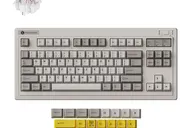 Keychron Keychron R3 $80 “Retro-styled 80% wireless hot-swap board with QMK and Launcher” | 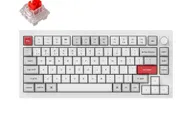 Keychron Keychron Q1 Pro $168 “The Honda Civic of custom keyboards” Best Overall |
|---|---|---|
| Price , different | $80 | $168 |
| Size , different | TKL | 75% |
| Type | Barebones | Barebones |
| Connectivity | Wireless + Wired | Wireless + Wired |
| Released , different | 2026 | 2023 |
| Mounting , different | Integrated Plate | Gasket |
| Case , different | Not listed | 6063 Aluminum |
| Colors , different | Retro | Carbon Black, Shell White, Silver Grey, Navy Blue |
| Weight , different | 1004.8 g | 1.74kg (fully assembled) |
| Dimensions , different | TKL | 327.5 x 145 x 35.8mm |
| Typing angle , different | Not listed | 5.2° |
| Front height , different | Not listed | 22.6mm |
| Switches | Mechanical | Mechanical |
| Profile | Standard | Standard |
| Keycaps , different | Double-shot PBT | Double-shot PBT, KSA profile (fully assembled version) |
| PCB , different | Hot-swap | Hot-swap, South-facing RGB |
| Plates , different | Not listed | PC |
| Battery , different | 4000 mAh, around 310 hours with backlight off | 4000mAh (up to 300h, backlight off) |
| Compatible switches , different | MX-style | MX-style 3-pin and 5-pin |
| Software , different | QMK, Keychron Launcher | QMK, VIA, Keychron Launcher |
| NKRO | Yes | Yes |
| RGB , different | No | Yes |
| Features , different | TKL layout, Tri-mode, Hot-swap, QMK/VIA | QMK/VIA, Hot-swap, Double Gasket Mount, Aluminum Case, Bluetooth 5.1 + USB-C, South-facing LEDs, Screw-in Stabilizers, 1000Hz Polling (wired) |
| Good for , different | Desk-bound typists who like a retro look People who want wireless QMK on a TKL | Heavy typists who want a soft, cushioned feel Buyers who want QMK programmability with Bluetooth People who switch between Mac and Windows Anyone who wants to swap switches or tune the build |
| Skip if , different | Quiet offices Anyone who carries a keyboard daily | Competitive gaming over wireless (90Hz polling) Anyone who needs a portable keyboard Buyers who want 2.4GHz wireless on this model People who prefer a low, flat keycap profile |
| Pros , different | Hot-swap with Keychron Super switches Tri-mode connection with three Bluetooth slots QMK and the Launcher web app Heavy and stable on the desk (owner write-up) Large 4000 mAh battery, around 310 hours backlight off (Keychron) | Flexible PC plate and gasket mount give a soft, bouncy typing feel (Tom's Guide) Full CNC aluminum case at 1,736 g assembled, so it stays put on the desk Bluetooth 5.1 for up to 3 devices plus USB-C; MakeUseOf found the Bluetooth connection stable QMK firmware with the Keychron Launcher web app for remapping and macros Hot-swap sockets take 3-pin and 5-pin MX-style switches 4000 mAh battery, rated up to 300 hours with the backlight off; Tom's Guide saw two to three weeks per charge Programmable aluminum knob, plus a system toggle and both Mac and Windows keycaps |
| Cons , different | Loud and clacky (Zidooka owner) Heavy for travel at about 1 kg The Bluetooth 1-2-3 system confused the reviewer at first The owner's first unit failed over USB and was replaced | Wireless is Bluetooth only, at 90Hz polling; 1000Hz needs a USB-C cable No 2.4GHz option on the Pro; Keychron lists the Q1 Max for that Heavy for a 75% and not a board to carry around Tom's Guide heard a slightly hollow stock sound and occasional metallic pings Tall KSA keycaps raised mistype rates in Tom's Guide's typing test An r/Keychron owner report describes spacebar rattle from the stock stabilizers Tom's Guide called the $219 assembled price steep at review time (Nov 2024) |
| Research take , different | A retro hot-swap TKL with wireless and QMK. Evidence is thin: Keychron's specs and one owner write-up. | A comfort-first 75% that suits long typing sessions better than gaming or travel. Reviewers rate the build and typing feel highly and mark it down for weight, price and a stock sound that can ping. If you want 2.4GHz or magnetic switches, compare the Q1 Max and Q1 HE before buying. |