Compare
Pick two boards from the directory and see how they differ.
Shaded rows are where they differ.
| Spec | 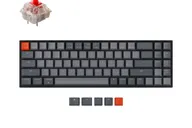 Keychron Keychron K14 $53–$83 “K14, from Keychron's store” | 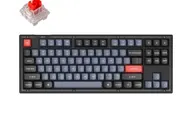 Keychron Keychron V3 $60–$70 “QMK support under $100 is absurd” Budget King |
|---|---|---|
| Price , different | $53–$83 | $60–$70 |
| Size , different | 70% | TKL |
| Type , different | Barebones | Pre-built |
| Connectivity , different | Wireless + Wired | Wired |
| Released , different | 2021 | 2022 |
| Mounting | Tray Mount | Tray Mount |
| Case , different | ABS, or ABS with aluminum frame | ABS Plastic |
| Colors , different | See the store | Frosted Black, Carbon Black |
| Weight , different | About 735 g | 966g |
| Dimensions , different | 333 x 104 mm (plastic frame), 337 x 108 mm (aluminum bezels) | 359 x 138.5 x 31mm |
| Typing angle , different | Not listed | 5.2° |
| Front height , different | Not listed | 22mm |
| Switches | Mechanical | Mechanical |
| Profile | Standard | Standard |
| Keycaps , different | OEM Double-Shot ABS keycaps | Double-shot PBT, OSA Profile |
| PCB , different | Hot-swap | Hot-swap, South-facing RGB |
| Plates , different | Not listed | Steel |
| Battery , different | 4000 mAh, up to 240 hours | — |
| Compatible switches , different | MX-style | MX-style 3-pin and 5-pin |
| Software , different | QMK | QMK, VIA |
| NKRO | Yes | Yes |
| RGB | Yes | Yes |
| Features , different | 70% layout, Tri-mode, Hot-swap, QMK/VIA | QMK/VIA, 80% TKL with Knob, Hot-swap, Screw-in Stabs, Double-shot PBT, South-facing LEDs, 1000Hz Polling |
| Good for , different | Beginners wanting a starter mechanical keyboard Buyers who want arrow keys in a compact layout People who plan to modify the board | A first QMK/VIA keyboard on a small budget Learning switch swapping without soldering Desk or office use where wireless is not needed TKL fans who want arrow keys and a nav cluster |
| Skip if , different | Experienced typists wanting a refined feel QMK/VIA users Gamers who want wireless dongle support | Anyone who needs wireless Buyers who want an aluminum case People who want a soft, flexy gasket-style feel Buyers who need a guaranteed in-stock listing |
| Pros , different | 70% layout with arrow keys (maker) Solid build with almost no flex (Inverse) Hot-swappable Gateron or Keychron switches Battery rated up to 240 hours Multi-device Bluetooth (Inverse) | QMK firmware with the Keychron Launcher web app for remapping and macros Hot-swap sockets, so switches can be changed without soldering Screw-in PCB stabilizers; Keychron says third-party screw-in stabilizers also fit Double-shot PBT keycaps and K Pro switches on the assembled version (pre-lubed except the clicky Blue) Steel plate with a tray mount, which reviewers of the V3 8K found stable and firm TKL layout with arrow keys and navigation keys, and an optional knob |
| Cons , different | Typing experience is basic for experienced users (Inverse) ABS keycaps No 2.4 GHz and no QMK listed by the maker Inverse describes its typing feel as basic Heavy for a 70% at about 735 g | Wired only; the V3 Max is the wireless version ABS plastic case rather than aluminum Tray mount feels stiffer than a gasket-mounted board (APH Networks, on the V3 8K) Keychron's page lists it as sold out, so availability is uncertain Little independent review coverage of this exact model |
| Research take , different | A simple, solid starter 70%. | A plain wired TKL that, on Keychron's specs, gives QMK/VIA, hot-swap and screw-in stabilizers in a plastic case. Its trade-offs are the plastic build, a stiffer tray-mount feel and no wireless. Because reviews of this exact model are scarce and Keychron lists it as sold out, the V3 Max or V3 8K may be the more practical buy. |